
Why we built BoostSend
A change in opening hours, a document customers are waiting for, an update about a service. When a business uses several phone numbers, these small tasks become scattered across devices and separate files. Someone has to find the right account, check the recipients and remember what has already been sent.
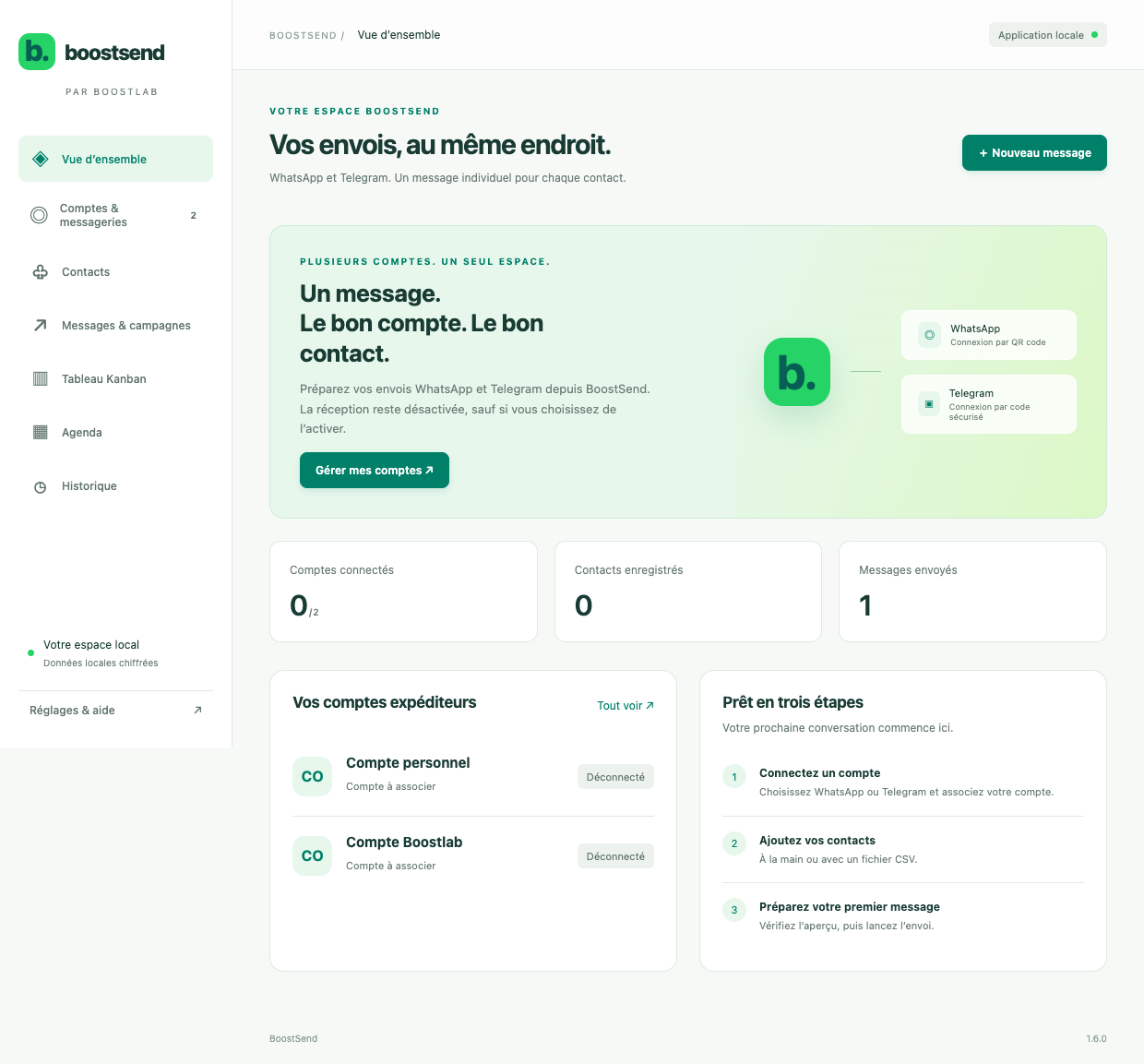
We developed BoostSend to make that work easier to follow. WhatsApp and Telegram accounts, prepared campaigns and their progress live in one local workspace. The aim is to reduce repetitive handling while keeping the business in control of its communications.
In Morocco, a shop, agency or service business can prepare information from one workstation and write separate French or Arabic campaigns for its customers.
Your team chooses and writes the language of each campaign. Automatic translation is not part of this workflow.
WhatsApp accounts without an application-imposed cap
BoostSend does not set a maximum number of WhatsApp accounts. You can add several numbers, give each a useful name and maintain separate sessions. The sender is chosen when preparing a campaign, so different business activities can use different accounts.
This is what unlimited accounts means here: no account cap imposed by BoostSend. Practical capacity still depends on the computer, connection and platform rules. It does not mean unlimited messages or a way around WhatsApp restrictions. The current WhatsApp connection uses an unofficial engine and may need updates when the platform changes.
Multiple Telegram accounts can also be added, using their own API credentials and the platform’s verification process. This version sends to individual conversations, not Telegram groups or channels.
Keep useful information together
The contact directory holds useful details such as company, reference and internal notes. Lists help identify the people concerned by an update, and one contact can belong to several lists. Excel and CSV imports include a preview to check formats and duplicates before saving.
Centralisation does not mean automatically importing every contact and past conversation from the connected platforms. You choose what to add. Incoming messages are optional for each account; enabling reception makes new private messages available without importing earlier history.
Build an information campaign step by step
Choose the sender and relevant recipients, write the text, add an image or document if needed, then save a draft. Name fields help personalise individual messages without rewriting the same information for each person.
Review the sender, message and recipients before launching. Each recipient gets an individual message in their own conversation. A campaign does not create a group or disclose the recipient list.
Useful examples include an exceptional closure, a service instruction, an availability update or an expected document. Send relevant information to people who should receive it, with their agreement where required. Importing a spreadsheet is not proof of permission to contact its contents.
Schedule and follow progress
The calendar helps organise campaigns over time. A Kanban board shows their progress, while history records sends made from the software. Drafts can be prepared ahead of time, scheduled or paused.
A sent status means the messaging service accepted the message, not that the recipient read it. Uncertain sends need checking rather than an immediate repeat that could create a duplicate.
BoostSend runs locally. The application must remain active and the computer connected for scheduled sends to run. Plan for that before closing the application or letting the workstation sleep.
What changes in everyday work
Continuity is the first benefit. Accounts, drafts and campaign stages are in the same workspace, reducing the need to switch interfaces. Information can be prepared before it needs to go out.
Control is the second. Explicitly selecting the sender and reviewing recipients makes avoidable mix-ups less likely. Progress indicators and pause controls make it easier to intervene.
Consistency is the third. Useful contact details and existing lists support relevant recurring communications. We do not promise a sales result or a fixed amount of time saved; the benefit is a clearer process for repeated tasks.
An optional assistant with human review
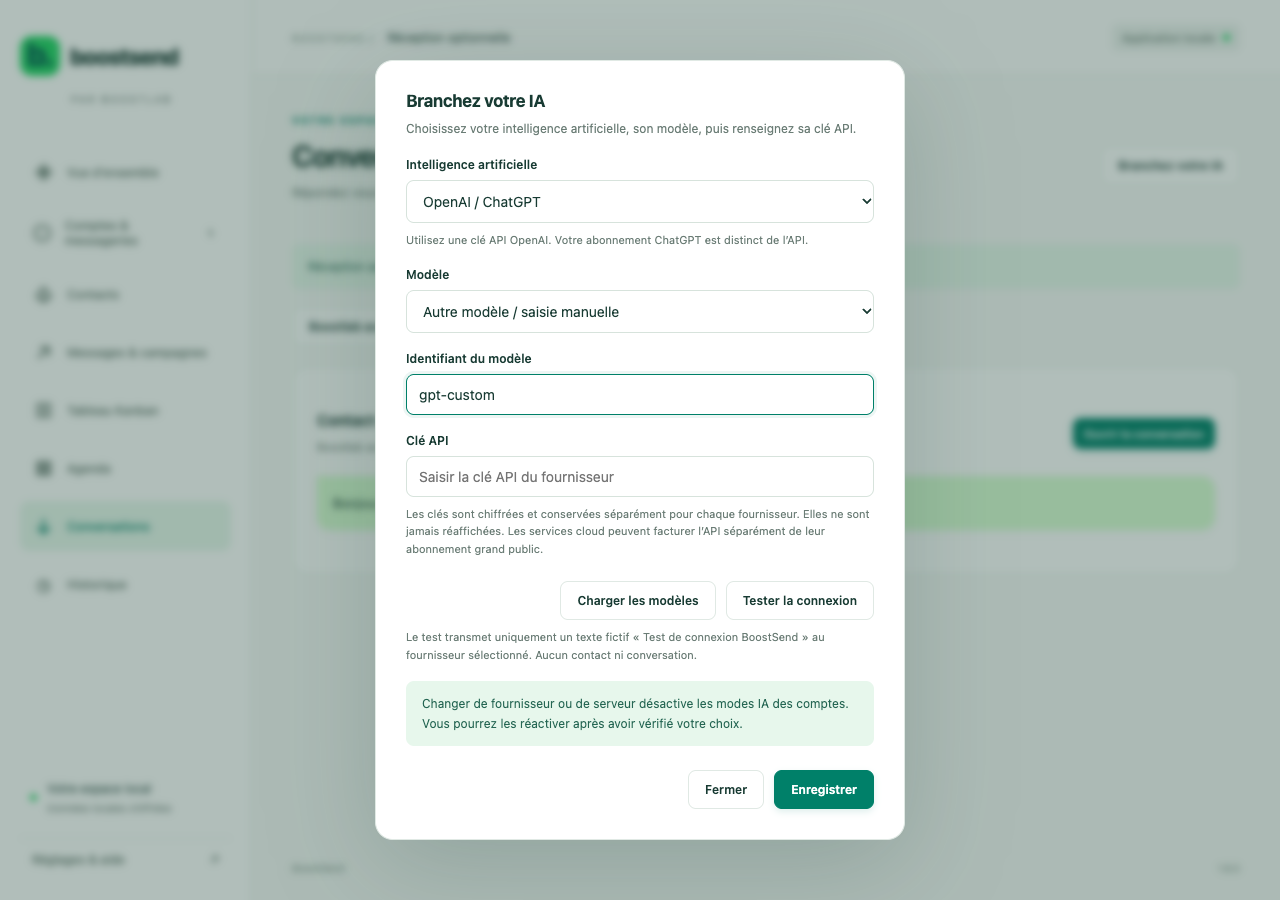
An optional AI assistant can suggest replies for review or operate in a configured automatic mode. With review enabled, a person can correct a proposed answer before sending it.
A cloud provider receives the context needed for generation when the assistant is enabled, and its API charges and terms apply separately. A compatible local engine can also be configured. Choose according to your data requirements and check sensitive answers, prices and commitments before relying on them.
Privacy is part of the workflow
The screenshots in this article come from test views of the application. They show no message content, contacts, recipient lists or access keys.
Local data and sessions are stored encrypted. Reception can stay disabled, and contacts marked Do not contact are excluded from new sends. These controls support careful handling but do not replace the company’s own access and usage rules.
A central local application is not automatically a shared cloud workspace. Multiple workstations, staff roles and manager approval processes require a separate assessment if your organisation needs them.
Software tailored to your company
BoostSend reflects our approach: understand a real task, identify where mistakes occur and build an interface that supports the work. We can study an adapted solution for your company in Morocco.
Possible projects include connections to business software, information prepared from customer records, approval steps, separate branches and specific reporting. These are custom development possibilities to scope together, not features claimed to be included in the current version.
We first establish who prepares information, who approves it, which accounts are used and what data must remain private. Scope, integrations and operating requirements follow from those answers.
Talk to Boostlab
Write to hello@boostlab.ma with your activity, current workflow and the repetitive tasks you would like to simplify. We can arrange a demonstration using test data and discuss bespoke development.
Continue with our articles about automating customer requests, Darweb.app and Tymyt time tracking. The links below connect this project to other tools and work by Boostlab.